Parivahan Sewa is the official online transport portal launched by the Ministry of Road Transport and Highways, Government of India. It is designed to make vehicle and driving‑related services simple, fast, and paperless. Instead of visiting the RTO in person, users can now use the Parivahan Sewa portal or Sarathi Parivahan portal to do many key tasks online.
Through Parivahan Sewa, you can apply for a new driving licence, renew an existing one, or check the status of your application. You can also view your vehicle registration details, update vehicle information, pay traffic challans, download your vehicle’s PUC certificate, and access many other services. With features like mParivahan mobile app integration, users can even keep digital copies of driving licences and registration certificates on their phones.
Parivahan Sewa helps save time by letting you complete almost all major transport services online without visiting the transport office.
Parivahan Sewa Platform Overview
| Feature | Description |
|---|---|
| Portal Name | Parivahan Sewa |
| Website | parivahan.gov.in |
| Mobile App | mParivahan (available on Android & iOS) |
| Launched By | Ministry of Road Transport & Highways, Government of India |
| Purpose | Provide digital, paperless, and easy access to vehicle and driving licence services |
| Connected Offices | All RTOs across India in a unified system |
| Key Services | Apply for new driving licence, renew driving licence, check application status, view vehicle details, pay traffic challans, download PUC certificate, download e‑RC and e‑DL |
| Benefits | Saves time, increases transparency, reduces paperwork, user‑friendly, secure |
| Target Users | Vehicle owners, drivers, and citizens needing RTO services |
| Additional Features | Integration with digital documents (e‑RC & e‑DL), instant online updates, access from home or mobile |
What is Parivahan Sewa Portal?
Parivahan Sewa is a digital transport platform launched by the Government of India to make vehicle and driving‑related services fast, easy, and paperless. You can access it online at parivahan.gov.in or through the mParivahan mobile app.
This portal connects all Regional Transport Offices (RTOs) across India into one unified system, so you don’t need to visit an RTO office for many tasks. From your home, you can check your vehicle details, apply for a new driving licence, renew your licence, pay traffic challans, and track the status of your applications.
In addition to these, Parivahan Sewa now lets you download e‑documents like your digital Registration Certificate (RC) and Driving Licence (DL), view PUC certificates, and get other transport services instantly online.
The portal is secure, easy to use, and saves time. It helps increase transparency and reduces the need for paperwork. The Government’s aim with Parivahan Sewa is to modernise the transport system in India and make it convenient for every citizen to manage their vehicle and licence services online.
Vehicle Related Services
Services Offered by Parivahan Sewa
Here’s a clear list of services offered by Parivahan Sewa in bullet points:
- Apply for a new Driving Licence (DL)
- Renew Driving Licence
- Check Driving Licence status
- View Vehicle Registration (RC) details
- Update vehicle information
- Pay traffic challans online
- Download PUC (Pollution Under Control) certificate
- Download e‑RC and e‑DL (digital documents)
- Check application status for various RTO services
- Access services via mParivahan mobile app
- Locate nearest RTO offices and contact details
For Your Driving License (and Learner’s Permit):
Here’s a clear list of services related to Driving Licence (DL) and Learner’s Permit (LP) on Parivahan Sewa:
- Apply for a new Learner’s Licence (LL)
- Apply for a new Driving Licence (DL)
- Renew an existing Driving Licence
- Upgrade a Driving Licence (e.g., from LMV to HMV)
- Apply for a duplicate Driving Licence
- Check the status of Learner’s Licence or Driving Licence application
- Book a slot for DL driving test online
- Download e‑DL (digital Driving Licence)
- Update personal details on DL (e.g., address, name)
For Your Vehicle Registration:
Here’s a clear list of services related to Vehicle Registration on Parivahan Sewa:
- Check Vehicle Registration (RC) details online
- Apply for a new Vehicle Registration
- Renew Vehicle Registration (if applicable, e.g., for temporary registrations)
- Apply for a duplicate Registration Certificate (RC)
- Update vehicle details (owner name, address, color, engine/ chassis number)
- Transfer of vehicle ownership
- Apply for No Objection Certificate (NOC) for vehicle transfer
- Surrender/ cancel vehicle registration
- Download e‑RC (digital Registration Certificate)
- Check status of RC applications or updates
Digital Driving License
What is e‑DL?
A Digital Driving Licence (e‑DL) is an official, government-issued driving licence in digital format. It is legally valid and can be carried on your smartphone instead of a physical card.
How to Access:
- Available via the mParivahan mobile app or the Parivahan Sewa portal.
- Can be downloaded as a PDF or added to your mobile wallet.
Key Features:
- Legally valid across India.
- Instant verification by traffic police using QR code.
- Safe and secure, reducing the risk of loss or damage.
- Can store multiple licences (for learner’s permit or full DL).
- Easy to update personal details digitally.
Benefits:
- No need to carry a physical card.
- Quick verification during traffic checks.
- Accessible anytime, anywhere.
- Helps save time and paperwork.
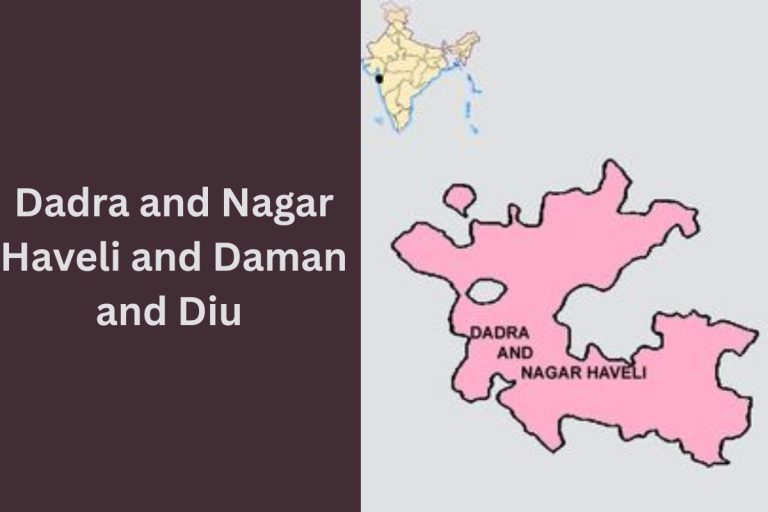
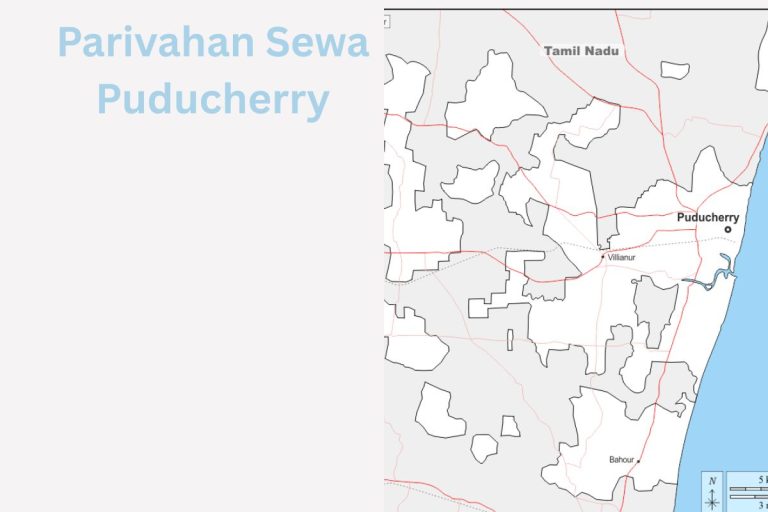
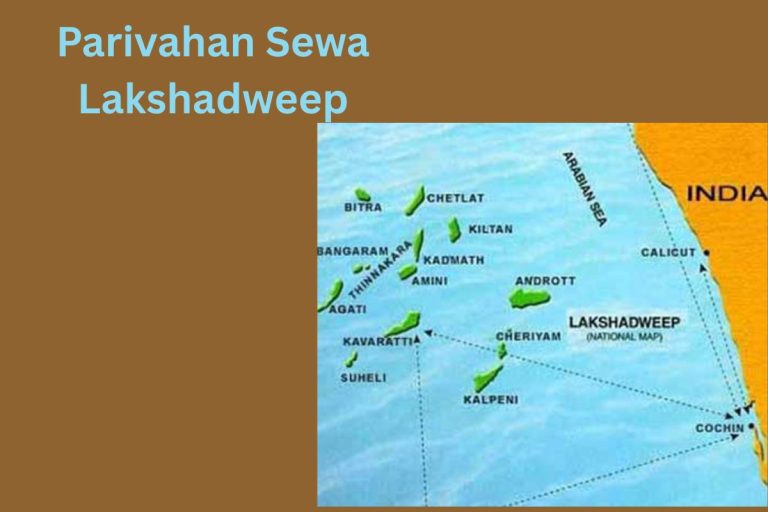
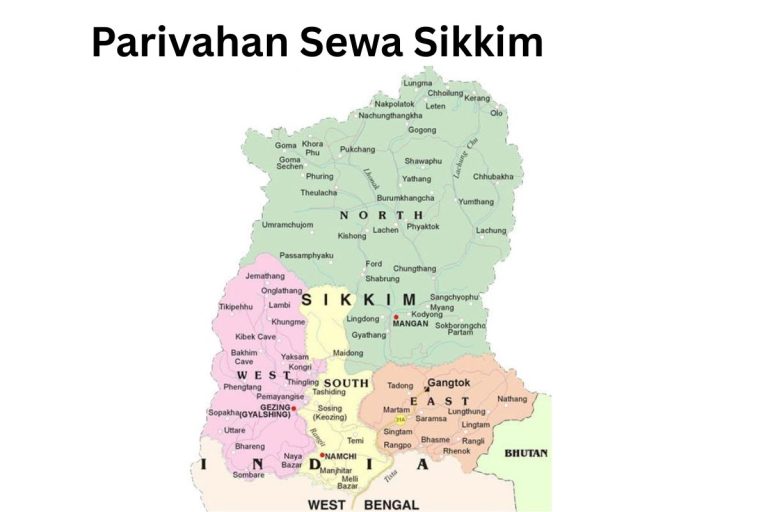
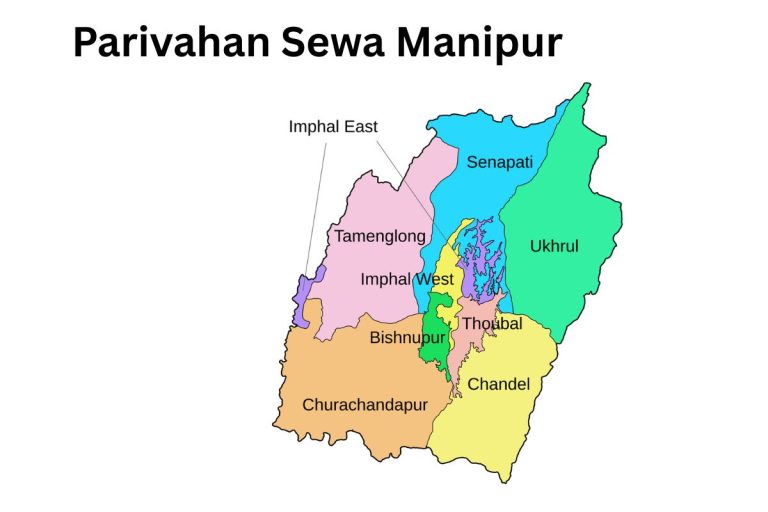
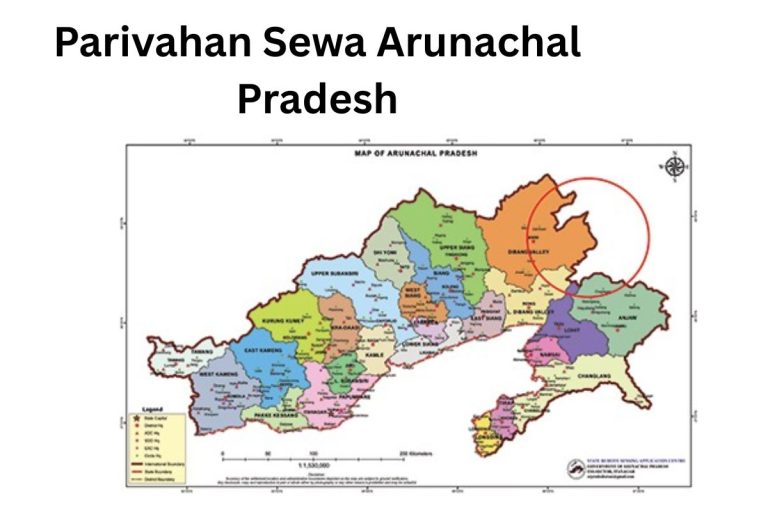
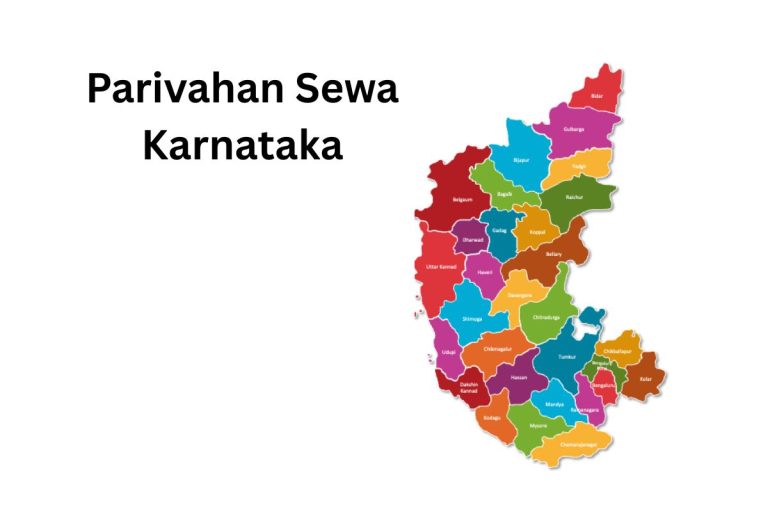
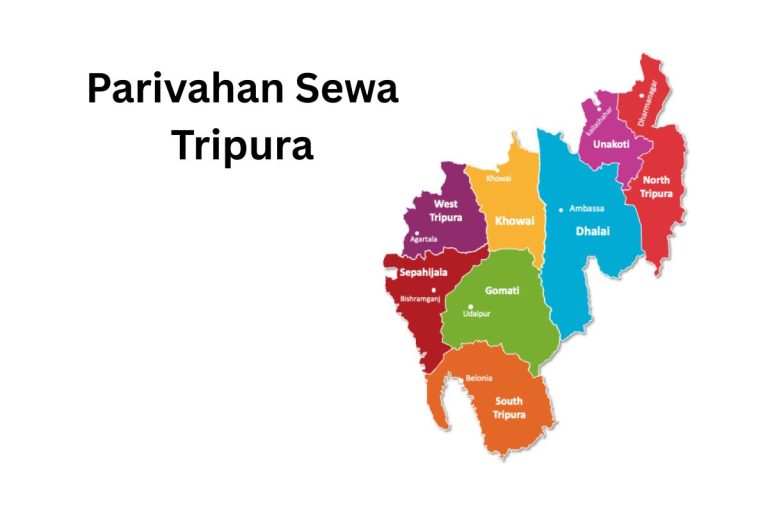
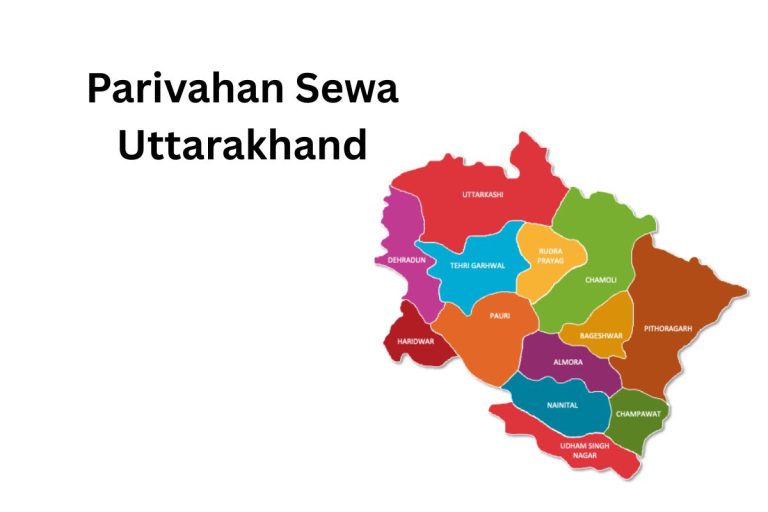
Parivahan Sewa All States of India
How to Get Your Digital Driving License:
Visit the Portal or App
- Go to the Parivahan Sewa website or download the mParivahan mobile app from Google Play Store or Apple App Store.
Register / Login
- Create an account using your mobile number and basic personal details.
- If already registered, log in using your credentials.
Navigate to Driving Licence Section
- On the portal or app, select “Driving Licence Services” or “e‑DL”.
Enter DL Details
- Provide your existing Driving Licence number and date of birth.
- Verify your details with OTP sent to your registered mobile number.
Download e‑DL
- After verification, you can download your Digital Driving Licence as a PDF.
- Optionally, add it to your mobile wallet for easy access.
Use e‑DL Anywhere
- Your e‑DL is legally valid across India.
- Can be shown to traffic police directly from your phone using the QR code for verification.
Update Details Digitally
- Any updates to your DL (address change, new endorsement) reflect automatically in your digital licence.
Benefits of Using Parivahan Sewa
Here’s a clear list of benefits of using Parivahan Sewa:
- Paperless and Digital – Complete most RTO services online without paperwork.
- Time-Saving – No need to visit RTO offices for routine tasks.
- Secure and Reliable – Safe platform for personal and vehicle data.
- Transparency – Reduces errors and ensures fair processing of applications.
- Easy Access – Services available anytime via portal or mParivahan app.
- Instant Updates – Check application status, DL, RC, or challans in real-time.
- Digital Documents – Access e‑DL and e‑RC on your smartphone legally.
- Convenient Payments – Pay traffic challans and fees online.
- Nationwide Coverage – Connected to all RTOs across India in a unified system.
- User-Friendly – Simple interface suitable for all citizens, including first-time users.
Documents Required for Driving License Application
Here’s a clear list of documents required to apply for a Driving Licence (DL) or Learner’s Licence (LL) in India through Parivahan Sewa:
1. Proof of Identity (Any One):
- Aadhaar Card
- Voter ID
- Passport
- PAN Card
- Government-issued ID card
2. Proof of Address (Any One):
- Aadhaar Card
- Voter ID
- Passport
- Utility bills (electricity, water, gas)
- Rent agreement (if applicable)
3. Age Proof (Any One, if applying for first-time DL):
- Birth certificate
- School/college certificate
- Passport
4. Learner’s Licence (LL) Applicants:
- Passport-size photographs
- Medical certificate (Form 1A) if required
5. Vehicle Documents (for certain cases, like upgrading licence):
- Previous Driving Licence (if upgrading or renewing)
- Certificate of driving school training (if applicable)
6. Payment of Fees:
- Online payment receipt for DL/LL application fee
All these documents must be valid and self-attested where necessary. Most documents can now be uploaded digitally through Parivahan Sewa, making the process paperless and faster.
How to Apply for Driving Licence (DL) Online on Parivahan Sewa Portal
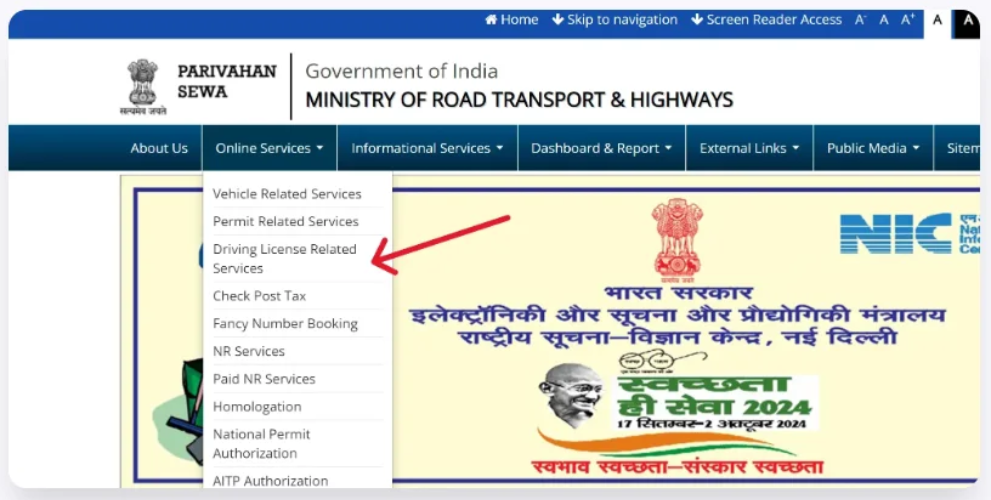
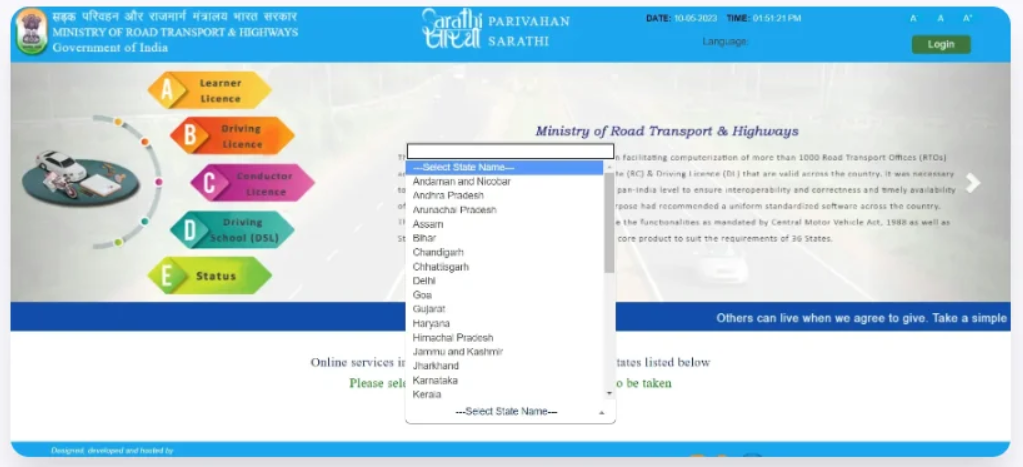
Step 1: Visit the Portal
- Go to the Parivahan Sewa website.
- Click on “Sarathi Parivahan” to access driving licence services.
Step 2: Select Your Service
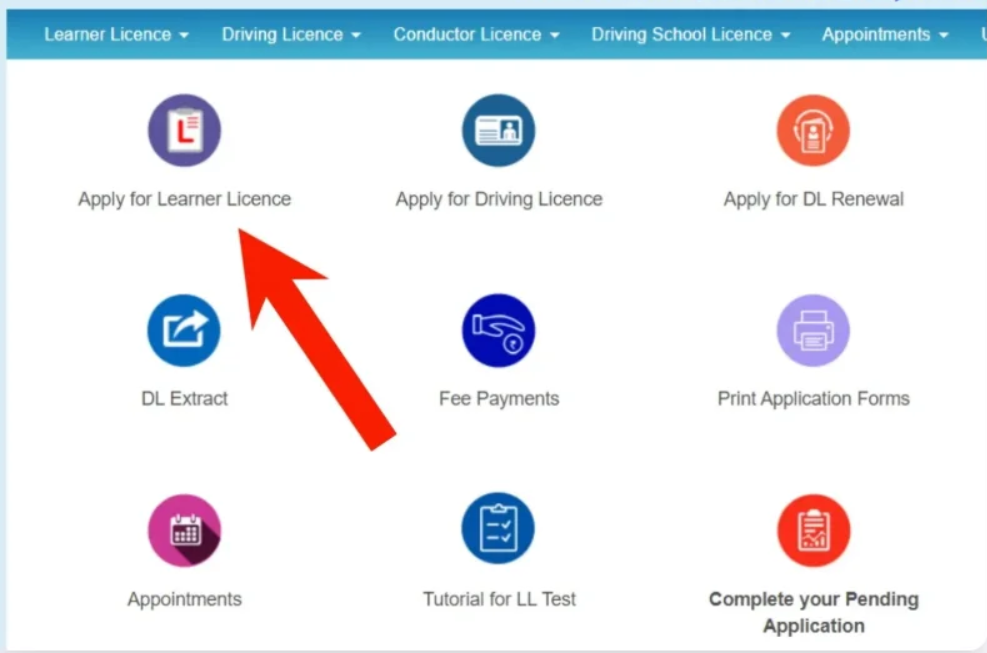
- Choose “Apply for Learner’s Licence (LL)” if it’s your first licence.
- Choose “Apply for Driving Licence (DL)” if you already have LL and want a full DL.
Step 3: Fill the Application Form
- Enter your personal details: name, date of birth, address.
- Provide your Learner’s Licence number (if applying for DL).
- Upload required documents: identity proof, address proof, age proof, photos, and medical certificate (if applicable).
Step 4: Book a Slot for Driving Test (if required)
- Select a RTO office for your driving test.
- Choose date and time for the test according to availability.
Step 5: Pay the Fees Online
- Pay the application fee digitally via credit/debit card, net banking, or UPI.
Step 6: Take the Driving Test
- Visit the selected RTO office on the booked date.
- Appear for the driving test (if applying for DL).
- Results are updated online after the test.
Step 7: Download e-DL
- Once approved, you can download your Digital Driving Licence (e-DL) from the portal or mParivahan app.
- e-DL is legally valid across India.
Driving License Renewal
Step 1: Visit the Portal
- Go to Parivahan Sewa.
- Click on “Sarathi Parivahan” for driving licence services.
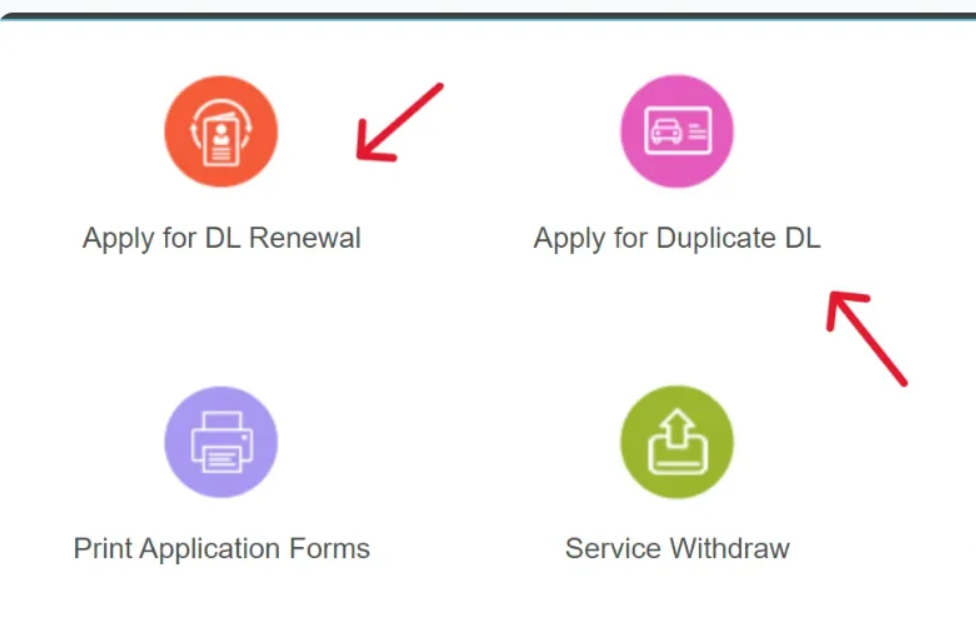
Step 2: Select Renewal Service
- Choose “Renew Driving Licence” from the list of services.
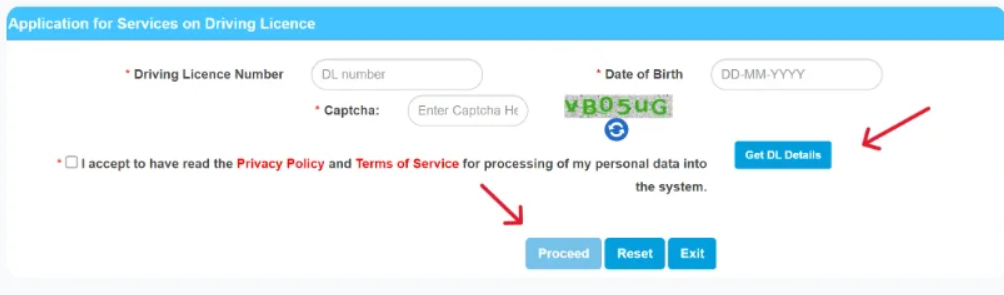
Step 3: Enter Details
- Provide your existing Driving Licence number and date of birth.
- Verify your details via OTP sent to your registered mobile number.
Step 4: Upload Required Documents
- Scanned copy of your existing Driving Licence.
- Address proof (if your address has changed).
- Medical certificate (Form 1A) if required.
Step 5: Pay Renewal Fees Online
- Pay the fee digitally using credit/debit card, net banking, or UPI.
Step 6: Schedule Driving Test (if applicable)
- In most cases, no test is needed for renewal.
- Some conditions may require a short driving/knowledge test at the RTO.
Step 7: Download e-DL
- After approval, download your renewed Digital Driving Licence (e-DL) from the portal or mParivahan app.
- The renewed e-DL is legally valid across India.
Two Main Licenses: Learner’s and Permanent
1. Learner’s Licence (LL)
- Purpose: Allows a person to learn driving on public roads under supervision.
- Validity: Usually 6 months from the date of issue.
- Eligibility: Minimum age:
- 16 years for motorcycles (with gear) under 50cc
- 18 years for other vehicles
- Restrictions:
- Can drive only under supervision of a licensed driver.
- Not valid for driving independently.
- How to Apply: Online via Parivahan Sewa or at your local RTO.
2. Permanent / Full Driving Licence (DL)
- Purpose: Allows a person to drive independently on public roads.
- Eligibility: Must hold a Learner’s Licence for at least 30 days.
- Validity: Usually 20 years or until the age of 50–60 (varies by state), renewable thereafter.
- How to Get:
- Apply for DL after completing the LL period.
- Pass the driving test at RTO or through online verification.
- Digital Version: Available as e‑DL on Parivahan Sewa for convenience.
Driving Licence Fees in India (Updated 2026)
| Service | Fee (Approx. ₹) |
|---|---|
| Learner’s Licence (LL) | ₹200 |
| Driving Licence Test Fee | ₹300 |
| Permanent Driving Licence (DL) Issue | ₹200 |
| Driving Licence Renewal | ₹200 |
| Late Renewal of DL (after grace period) | ₹300 + applicable late fees |
| Duplicate Driving Licence | ₹250 |
| Adding Additional Vehicle Class to DL | ₹500 |
| International Driving Permit (IDP) | ₹1,000 |
| Other/Minor Services (address change, endorsements) | ₹200 (varies) |
Fees are payable online via Parivahan Sewa (net banking / card / UPI) and are subject to official updates; check the portal for exact charges in your state.
How to Check e-Challan?
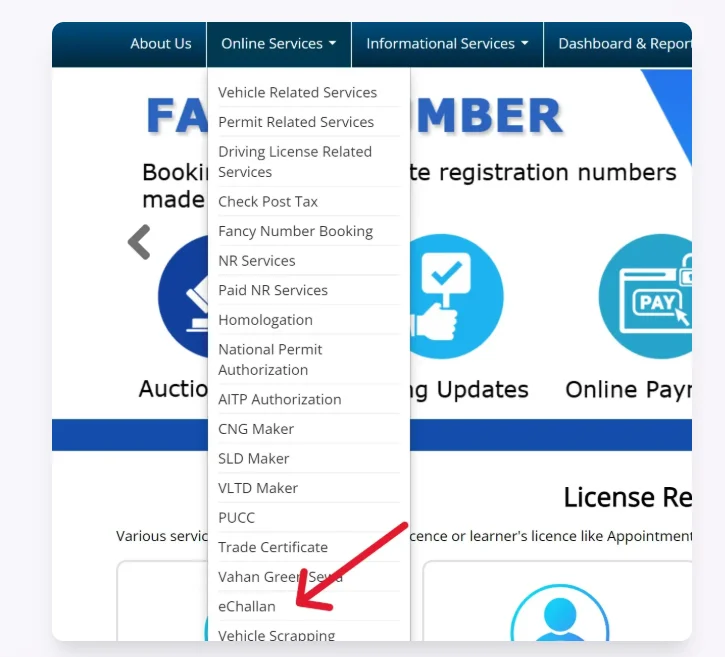
Step 1: Visit the e-Challan Portal
- Go to the Parivahan Sewa e-Challan page.
- This portal is linked with your RTO and traffic police records.
Step 2: Select Your State
- Choose the state where your vehicle is registered.
- This ensures you see challans issued by your local traffic authorities.
Step 3: Enter Vehicle or DL Details
You can check your challan using:
- Vehicle Registration Number (RC number) or
- Driving Licence Number (DL number) or
- Challan Number (if available)
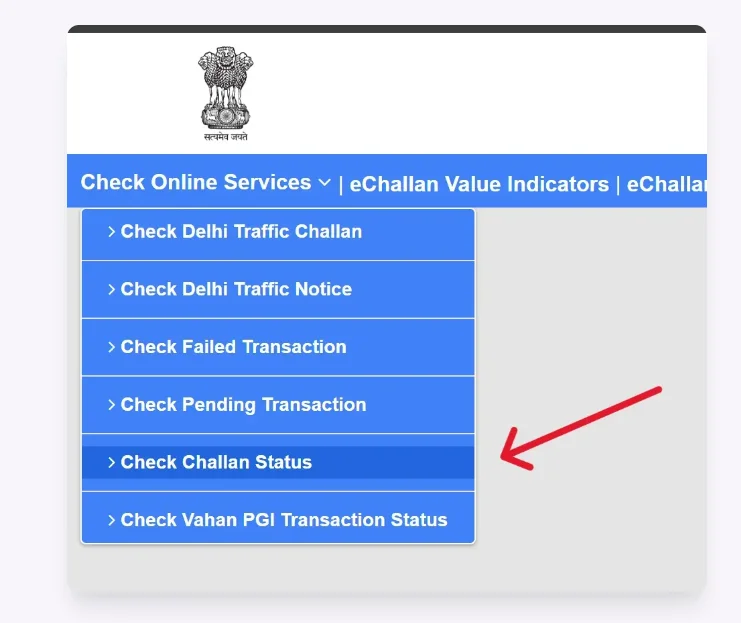
Step 4: Submit and View
- Click “Get Details” or “Check Status”.
- You will see:
- Challan amount
- Date of issue
- Offence details
- Payment status
Step 5: Pay e-Challan Online (if pending)
- Click “Pay Now” to pay through net banking, UPI, or debit/credit card.
- After payment, you can download the receipt for your records.
Driving License Forms
| Form No. | Description |
|---|---|
| Form 1 | Self-declaration of physical fitness for non-transport vehicles. |
| Form 1A | Medical Certificate for transport vehicles. |
| Form 2 | Application for the grant or renewal of a driving license. |
| Form 3 | Learner’s License. |
| Form 4A | Application for the grant of a driving license. |
| Form 5 | Driving Certificate issued by a driving school or establishment. |
| Form 8 | Application for adding a new class of vehicle to a driving license. |
| Form 9 | Application for renewal of a driving license. |
Vehicle-Related Forms
| Form No. | Description |
|---|---|
| Form 25 | Application for renewal of vehicle registration certificate (RC). |
| Form 26 | Application for duplicate vehicle registration certificate. |
| Form 28 | No Objection Certificate (NOC) for vehicle transfer. |
| Form 29 | Notice of transfer of vehicle ownership. |
| Form 30 | Application for the transfer of vehicle ownership. |
| Form 35 | Application for termination of a hypothecation (loan) on a vehicle. |
Helpline Contact Information
| Service Area | Contact / Email | Remarks |
|---|---|---|
| General Helpdesk (all services) | Phone: +91‑120‑4925505 | Available for general inquiries, RTO services, vehicle & DL support |
| Driving Licence & Learner Licence | Email: helpdesk‑sarathi@gov.in | For DL/LL queries and assistance |
| Vehicle Registration / Vahan Support | Email: helpdesk‑vahan@gov.in | For RC, tax, permits, fitness, etc. |
| mParivahan App Support | Email: helpdesk‑mparivahan@gov.in | For app-related issues |
| e‑Challan (Traffic Fine) Support | Email: helpdesk‑echallan@gov.in | For challan questions & help |
| Website Technical / Feedback | Email: wim.rth@nic.in | For official website technical issues & feedback |
Frequently Asked Questions (FAQs)
1. What is Parivahan Sewa?
Parivahan Sewa is the official digital portal of the Ministry of Road Transport & Highways, India. It provides online services for driving licences, vehicle registration, e‑challans, and other RTO-related tasks.
2. How can I apply for a Driving Licence online?
You can apply through the Sarathi Parivahan portal by filling the online application, uploading required documents, paying fees, and booking a driving test slot.
3. How do I get a Learner’s Licence?
- Minimum age: 16 for motorcycles under 50cc, 18 for other vehicles.
- Apply online via Parivahan Sewa and pass the learner’s licence test.
4. What is a Digital Driving Licence (e‑DL)?
e‑DL is a legally valid digital version of your driving licence that can be carried on your phone. It can be verified by traffic police via QR code.
5. How can I renew my Driving Licence?
Visit Parivahan Sewa, choose “Renew DL”, upload your documents, pay the fees online, and download the renewed e‑DL once approved.
6. How do I check my vehicle registration details?
Use the Parivahan Sewa portal or mParivahan app and enter your RC number to view all vehicle details online.
7. How do I pay e-Challan?
Go to the e-Challan portal, enter your RC or DL number, view pending challans, and pay online via UPI, card, or net banking.
8. Can I get e-Documents for my vehicle?
Yes, you can download e-RC (digital Registration Certificate) and e-DL directly from Parivahan Sewa or mParivahan app.
9. Is Parivahan Sewa safe to use?
Yes, it is a government-operated secure portal that encrypts personal and vehicle data to protect users’ information.
10. Are the services available nationwide?
Yes, Parivahan Sewa is connected to all RTO offices across India, providing unified services for every state.
11. What documents are needed for DL application?
Identity proof, address proof, age proof, medical certificate (if applicable), and passport-size photograph. Most documents can be uploaded online.
12. Can I track my application status?
Yes, the portal allows you to track the status of your DL, LL, RC, or any other service in real time.