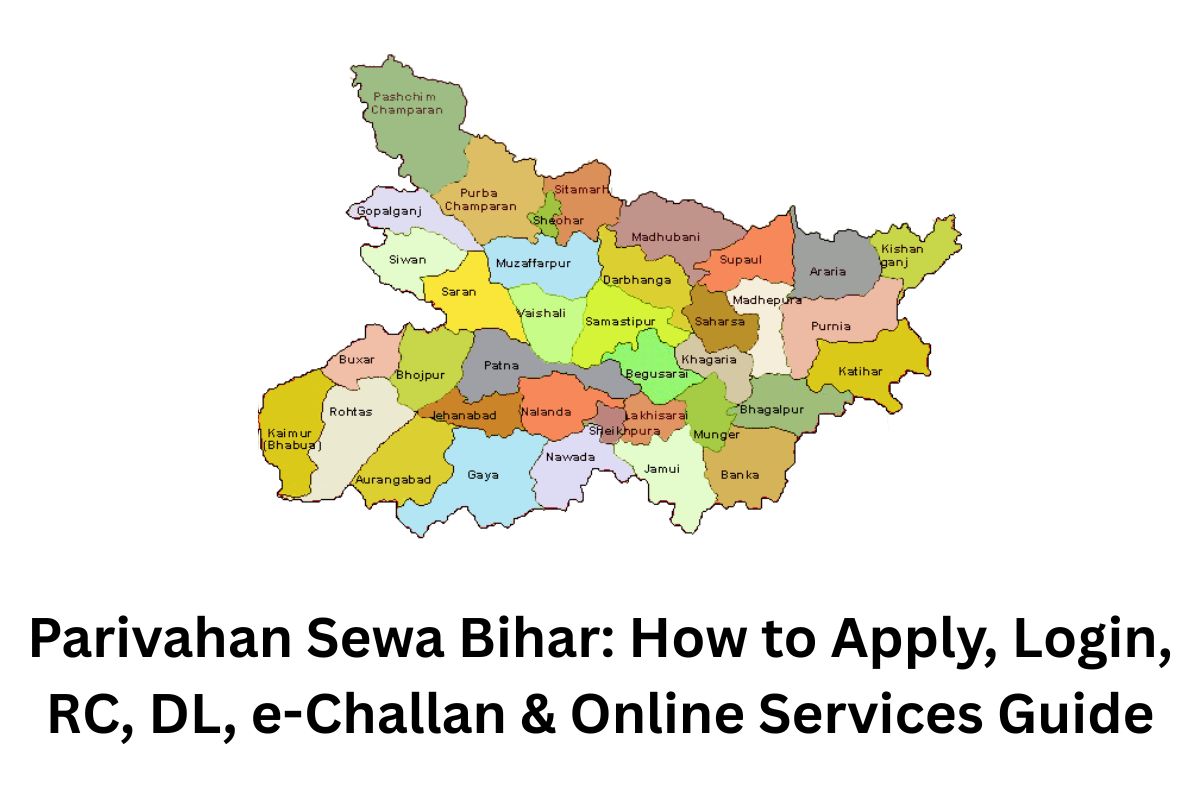
Parivahan Sewa Bihar: How to Apply, Login, RC, DL, e-Challan & Online Services Guide
Parivahan Sewa Bihar राज्य बिहार में vehicle owners और commuters के लिए एक महत्वपूर्ण online portal है। यह portal RC (Registration Certificate), DL (Driving License), और e-Challan जैसी services provide करता है। अब आपको RTO offices में लंबी लाइन में खड़ा होने की जरूरत नहीं है।
इस portal के माध्यम से आप vehicle registration, RC renewal, license application, और address change जैसी services online आसानी से कर सकते हैं। Parivahan Sewa Bihar का main उद्देश्य traffic management और citizen convenience को improve करना है।
आप इस portal पर appointment booking, road tax payment, और vehicle fitness certificate जैसी services भी access कर सकते हैं। इसके अलावा, portal का mobile app feature भी available है, जिससे users अपनी services mobile से ही manage कर सकते हैं।
यदि आप जानना चाहते हैं कि कैसे Parivahan Sewa Bihar का उपयोग करके RC, DL, और अन्य services apply करें, तो यह guide आपके लिए perfect resource है।
What is Parivahan Sewa Bihar?
Parivahan Sewa Bihar एक official online portal है जिसे बिहार राज्य सरकार ने vehicle owners और commuters की सुविधा के लिए बनाया है। यह portal RC (Registration Certificate), DL (Driving License), e-Challan, और अन्य vehicle-related services online प्रदान करता है।
इसका main उद्देश्य citizens को RTO offices में लंबी लाइन से बचाना और vehicle registration, license application, road tax payment, और vehicle transfer जैसी services को आसान और तेज़ बनाना है।
Parivahan Sewa Bihar portal का use करके आप RC renewal, learning license apply, address update, और vehicle fitness certificate जैसी जरूरी services घर बैठे ही कर सकते हैं। इसके अलावा, portal की mobile-friendly interface और appointment booking system इसे और भी convenient बनाते हैं।
Bihar Parivahan Sewa (RTO)
Check RC Status, Driving License, and Pay Challan Online
Parivahan Sewa Bihar Overview
| Feature / Service | Description | Mode |
|---|---|---|
| Official Portal | Parivahan Sewa Bihar official website | Online |
| Vehicle Registration | Register new vehicles in Bihar | Online / RTO |
| Driving License | Apply for permanent or learning license | Online / RTO |
| RC Renewal | Renew expired or expiring Registration Certificate | Online |
| Learning License | Apply for learner license | Online / RTO |
| Vehicle Transfer | Transfer ownership of a vehicle | Online / RTO |
| Address Change | Update address on RC or DL | Online |
| Road Tax Payment | Pay state road tax for vehicles | Online |
| Vehicle Fitness Certificate | Certificate for commercial vehicle fitness | RTO |
| e-Challan | Check traffic fines & pay online | Online |
How to Login to Parivahan Portal Bihar?
Step 1: Visit the Official Portal
Go to the official Parivahan Sewa Bihar website: https://parivahan.gov.in
Step 2: Navigate to Login Section
On the homepage, find and click on the “Login / Register” button.
Step 3: Select User Type
Choose whether you are an Individual / Dealer / Transport Office based on your requirement.
Step 4: Enter Credentials
Fill in your Username / Mobile Number / Email ID and Password. If you don’t have an account, click on “Register” to create a new account.
Step 5: Complete CAPTCHA
Enter the security code / CAPTCHA displayed on the screen.
Step 6: Click on Login
After entering all details correctly, click “Login”. You will be redirected to your dashboard.
Step 7: Access Services
From your dashboard, you can now access services like RC / DL / e-Challan / Vehicle Registration / Appointments.
How to Register a Vehicle in Bihar?
Step 1: Visit Parivahan Sewa Bihar Portal
Go to the official website: https://parivahan.gov.in
Step 2: Login or Register
Login using your credentials. If you are a new user, click “Register” to create an account.
Step 3: Select Vehicle Registration
On the dashboard, choose “Vehicle Registration” service.
Step 4: Fill Vehicle Details
Enter all required details like Owner Name, Vehicle Type, Make & Model, Engine Number, Chassis Number, etc.
Step 5: Upload Documents
Upload scanned copies of:
- Address Proof
- Identity Proof
- Vehicle Invoice / Sale Certificate
- Insurance Certificate
- Pollution Certificate (if applicable)
Step 6: Pay Registration Fees
Pay the applicable RC fees and road tax online via net banking, UPI, or debit/credit card.
Step 7: Book RTO Appointment
Choose a convenient date to visit the RTO office for vehicle inspection and verification.
Step 8: Vehicle Inspection
RTO officials will verify the documents and inspect the vehicle.
Step 9: RC Issuance
After verification, your Registration Certificate (RC) will be issued. You can download it online or collect the original from RTO.
How to Apply for Driving License Bihar
Step 1: Visit Parivahan Sewa Bihar Portal
Go to the official website: https://parivahan.gov.in
Step 2: Login or Register
Login using your credentials. If you don’t have an account, click “Register” to create a new one.
Step 3: Select Driving License Service
From the dashboard, choose “Apply for Driving License”. You can select Learning License (LL) or Permanent Driving License (DL) depending on your requirement.
Step 4: Fill Application Form
Enter all required details like Name, Address, Age, Vehicle Type, and upload scanned copies of ID Proof, Address Proof, Passport Size Photo.
Step 5: Book Driving Test
Select a convenient date and RTO office for your driving test.
Step 6: Pay Fees
Pay the applicable license application fees online via net banking, UPI, or card.
Step 7: Attend Driving Test
Visit the RTO on the booked date for the driving skill test.
Step 8: License Issuance
If you pass the test, your Driving License (DL) will be issued. You can download the digital DL from the portal or collect the original from the RTO.
How to Renew RC Online Bihar
Step 1: Visit Parivahan Sewa Bihar Portal
Go to the official website: https://parivahan.gov.in
Step 2: Login to Your Account
Use your Username / Mobile Number / Email ID and Password to login. If you don’t have an account, register first.
Step 3: Select RC Renewal Service
From your dashboard, click on “RC Renewal” under vehicle services.
Step 4: Enter Vehicle Details
Provide your Vehicle Registration Number and other requested information.
Step 5: Upload Required Documents
Upload scanned copies of:
- Existing RC
- Vehicle Insurance Certificate
- Pollution Under Control (PUC) Certificate
- Address Proof (if required)
Step 6: Pay Renewal Fees Online
Pay the applicable RC renewal fees using net banking, debit/credit card, or UPI.
Step 7: Book RTO Appointment (if required)
Some vehicles may need inspection at RTO. Book a convenient date online.
Step 8: Download Renewed RC
After approval, you can download the renewed RC online or collect the printed RC from your RTO office.
How to Apply for Learning License Bihar
Step 1: Visit Parivahan Sewa Bihar Portal
Go to the official website: https://parivahan.gov.in
Step 2: Login or Register
Login with your Username / Mobile Number / Email ID. If you are a new user, click “Register” to create an account.
Step 3: Select Learning License (LL) Service
From the dashboard, click “Apply for Learning License”.
Step 4: Fill Application Form
Enter all details:
- Name
- Date of Birth
- Address
- Vehicle Type (Two-wheeler / Four-wheeler / Transport)
- Upload scanned documents: ID Proof, Address Proof, Passport Size Photo
Step 5: Book Slot for Learner Test
Select a convenient date and RTO office for your learner license test.
Step 6: Pay Fees Online
Pay the applicable learning license fee using net banking, UPI, or debit/credit card.
Step 7: Take Learner Test
Attend the test at your RTO office. It usually consists of basic traffic rules and road signs questions.
Step 8: Download Learning License
If you pass, your Learning License (LL) will be issued. You can download it online from the portal.
How to Transfer Vehicle Ownership Bihar
Step 1: Visit Parivahan Sewa Bihar Portal
Go to the official website: https://parivahan.gov.in
Step 2: Login to Your Account
Use your Username / Mobile Number / Email ID and Password to login. If you don’t have an account, register first.
Step 3: Select Vehicle Ownership Transfer
From the dashboard, choose “Transfer of Ownership” under vehicle services.
Step 4: Enter Vehicle Details
Provide your Vehicle Registration Number, RC details, and buyer’s information.
Step 5: Upload Required Documents
Upload scanned copies of:
- Original RC (Registration Certificate)
- Insurance Certificate
- Pollution Certificate (PUC)
- Sale / Purchase Agreement
- Address Proof of Buyer
Step 6: Pay Transfer Fees Online
Pay the applicable ownership transfer fees using net banking, UPI, or card.
Step 7: Book RTO Appointment
Some vehicles may require inspection at the RTO. Book a convenient date online.
Step 8: Receive Updated RC
After verification and approval, the RC will be updated in the new owner’s name. You can download it online or collect from the RTO office.
How to Change Address on RC/DL Bihar
Step 1: Visit Parivahan Sewa Bihar Portal
Go to the official website: https://parivahan.gov.in
Step 2: Login to Your Account
Use your Username / Mobile Number / Email ID and Password. If you don’t have an account, register first.
Step 3: Select Address Change Service
From the dashboard, choose “Address Change / Update on RC or DL”.
Step 4: Enter Vehicle or License Details
Provide your RC Number or DL Number and current details.
Step 5: Upload Required Documents
Upload scanned copies of:
- Proof of new address (Aadhaar, Passport, Utility Bill, or Bank Statement)
- Existing RC / DL copy
- Passport size photograph (if required)
Step 6: Pay Fees Online
Pay the applicable address change fees using net banking, UPI, or card.
Step 7: Submit Application
After filling details and uploading documents, click Submit.
Step 8: Verification & Updated RC/DL
RTO officials may verify the documents. Once approved, your RC or DL will reflect the new address. You can download the updated certificate online or collect it from the RTO.
How to Pay Road Tax in Bihar
Step 1: Visit Parivahan Sewa Bihar Portal
Go to the official website: https://parivahan.gov.in
Step 2: Login to Your Account
Use your Username / Mobile Number / Email ID and Password to login. If you don’t have an account, register first.
Step 3: Select Road Tax Payment Service
From the dashboard, click on “Pay Road Tax” or “Tax Services”.
Step 4: Enter Vehicle Details
Provide your Vehicle Registration Number, RC Details, and Owner Information.
Step 5: Calculate Tax
The portal will automatically calculate road tax based on vehicle type, age, and registration location.
Step 6: Pay Online
Choose your preferred payment method: Net Banking, UPI, Debit/Credit Card, and complete the payment.
Step 7: Receive Payment Receipt
After successful payment, download or print the road tax receipt. This serves as proof of payment.
Step 8: Update RC (if required)
In some cases, the updated tax payment may automatically reflect in your RC details.
How to Get Vehicle Fitness Certificate Bihar
Step 1: Visit Parivahan Sewa Bihar Portal
Go to the official website: https://parivahan.gov.in
Step 2: Login to Your Account
Use your Username / Mobile Number / Email ID and Password to login. If you don’t have an account, register first.
Step 3: Select Vehicle Fitness Certificate Service
From the dashboard, click on “Vehicle Fitness Certificate” or “Apply for Fitness Certificate”.
Step 4: Enter Vehicle Details
Provide your Vehicle Registration Number, RC Details, and Owner Information.
Step 5: Upload Required Documents
Upload scanned copies of:
- Existing RC (Registration Certificate)
- Insurance Certificate
- Pollution Under Control (PUC) Certificate (if applicable)
Step 6: Book RTO Appointment
Schedule a date for vehicle inspection at your nearest RTO.
Step 7: Vehicle Inspection
RTO officials will inspect the vehicle to ensure it meets roadworthiness and safety standards.
Step 8: Issue of Fitness Certificate
After successful inspection, your Vehicle Fitness Certificate (VC) will be issued. You can download it online or collect the original from the RTO office.
How to Check e-Challan Bihar
Step 1: Visit Parivahan Sewa Bihar Portal
Go to the official website: https://parivahan.gov.in
Step 2: Navigate to e-Challan Section
On the homepage, look for “e-Challan / Traffic Violation” option and click on it.
Step 3: Enter Vehicle Details
Fill in your Vehicle Registration Number or Challan Number (if you have it).
Step 4: Verify CAPTCHA / Security Code
Enter the CAPTCHA code shown on the screen to proceed.
Step 5: Click on Search / Submit
Click “Search” or “Submit” to view your e-Challan details.
Step 6: Check Violation Details
You will see the traffic violation, date, time, fine amount, and status of payment.
Step 7: Pay e-Challan Online (if pending)
If the challan is unpaid, click “Pay Now” to complete the payment online using UPI, Net Banking, or Debit/Credit Card.
Step 8: Download Receipt
After successful payment, download or print the payment receipt for your records.
How to Get Number Plate in Bihar
Step 1: Visit Parivahan Sewa Bihar Portal
Go to the official website: https://parivahan.gov.in
Step 2: Login to Your Account
Use your Username / Mobile Number / Email ID and Password to login. If you don’t have an account, click Register to create one.
Step 3: Select Number Plate Service
From the dashboard, click on “Generate / Assign Number Plate” or check under Vehicle Registration Services.
Step 4: Enter Vehicle Details
Provide your Vehicle Registration Number, RC Details, and Owner Information.
Step 5: Pay Applicable Fees
Pay the number plate fees online using Net Banking, UPI, or Debit/Credit Card.
Step 6: Book RTO Appointment (if required)
Some cases may require RTO verification for new vehicles. Schedule an appointment if prompted.
Step 7: Receive Number Plate Details
Once approved, you will receive official registration number details. You can then get the high-security number plate (HSRP) made from authorized vendors.
Step 8: Install Number Plate
Install the authorized HSRP number plate on your vehicle as per RTO guidelines.
How to Apply for Duplicate RC/DL Bihar
Step 1: Visit Parivahan Sewa Bihar Portal
Go to https://parivahan.gov.in
Step 2: Login to Your Account
Use your Username / Mobile Number / Email ID and Password. If you don’t have an account, register first.
Step 3: Select Duplicate RC Service
From the dashboard, choose “Apply for Duplicate RC” under vehicle services.
Step 4: Enter Vehicle Details
Provide Vehicle Registration Number, RC Number (if available), and Owner Information.
Step 5: Upload Required Documents
Upload scanned copies of:
- FIR (in case of loss/theft)
- Identity Proof
- Address Proof
- Insurance Certificate
Step 6: Pay Fees Online
Pay the applicable duplicate RC fee using net banking, UPI, or card.
Step 7: Submit Application
Submit your application online. Some cases may require RTO verification.
Step 8: Receive Duplicate RC
After approval, download the duplicate RC online or collect the original from the RTO office.
How to Get Vehicle Permit Bihar
Step 1: Visit Parivahan Sewa Bihar Portal
Go to the official website: https://parivahan.gov.in
Step 2: Login to Your Account
Use your Username / Mobile Number / Email ID and Password to login. If you don’t have an account, click Register to create one.
Step 3: Select Permit Service
From the dashboard, click on “Apply for Vehicle Permit” or check under Permit / Transport Services.
Step 4: Choose Permit Type
Select the type of permit you need:
- National Permit (NP)
- State Permit (SP)
- Goods / Passenger Vehicle Permit
Step 5: Fill Application Form
Enter all required details about your vehicle and owner information. Upload scanned copies of:
- Vehicle RC
- Insurance Certificate
- Pollution Certificate (PUC)
- Identity Proof & Address Proof
Step 6: Pay Fees Online
Pay the applicable permit fees via net banking, UPI, or debit/credit card.
Step 7: Book RTO Appointment (if required)
Some permit applications require RTO verification or inspection. Schedule a date online.
Step 8: Receive Vehicle Permit
After approval, the Vehicle Permit will be issued. You can download it online or collect it from the RTO office.
How to Book Appointment Online Bihar
Step 1: Visit Parivahan Sewa Bihar Portal
Go to the official website: https://parivahan.gov.in
Step 2: Login to Your Account
Login using your Username / Mobile Number / Email ID and Password. Register if you don’t have an account.
Step 3: Navigate to Appointment Booking
On your dashboard, click on “Book Appointment” under vehicle or driving license services.
Step 4: Select Service Type
Choose the service for which you want an appointment:
- Driving License Test / Renewal
- RC Services (Registration / Renewal / Transfer)
- Vehicle Permit / Fitness Certificate
Step 5: Select RTO Office
Pick your nearest RTO office from the list provided.
Step 6: Choose Date & Time Slot
Select a convenient date and available time slot for your appointment.
Step 7: Confirm Appointment
Review your details and click “Confirm Appointment”.
Step 8: Download Appointment Slip
After confirmation, download or print the appointment slip. Carry this slip during your RTO visit.
How to Update Vehicle Insurance Bihar
Step 1: Visit Parivahan Sewa Bihar Portal
Go to the official website: https://parivahan.gov.in
Step 2: Login to Your Account
Use your Username / Mobile Number / Email ID and Password to login. If you don’t have an account, register first.
Step 3: Select Vehicle Insurance Update
From the dashboard, click on “Update Vehicle Insurance” or check under RC / Vehicle Services.
Step 4: Enter Vehicle Details
Provide your Vehicle Registration Number, RC Number, and Insurance Details.
Step 5: Upload Required Documents
Upload scanned copies of:
- New Insurance Certificate
- Existing RC
- Identity Proof (if required)
Step 6: Pay Fees (if applicable)
Some updates may require a nominal fee. Pay online via Net Banking, UPI, or Debit/Credit Card.
Step 7: Submit Application
After uploading documents and payment, click Submit.
Step 8: Verification & Confirmation
RTO may verify the documents. Once approved, your vehicle RC will reflect the updated insurance details. You can download the updated RC online.
How to Pay Penalties and Fines Bihar
Step 1: Visit Parivahan Sewa Bihar Portal
Go to the official website: https://parivahan.gov.in
Step 2: Navigate to e-Challan / Penalties Section
Click on “e-Challan / Traffic Violation / Pay Fines” on the homepage.
Step 3: Enter Vehicle Details
Provide your Vehicle Registration Number or Challan Number.
Step 4: Verify CAPTCHA / Security Code
Enter the CAPTCHA code shown to proceed.
Step 5: Check Pending Fines
View all pending traffic violations, fines, and penalty details.
Step 6: Select Fine to Pay
Choose the fine(s) you want to pay.
Step 7: Pay Online
Pay the amount via Net Banking, UPI, or Debit/Credit Card.
Step 8: Download Payment Receipt
After successful payment, download or print the receipt for your records.
Step 9: Updated Status
Your fine status will be updated online automatically in the Parivahan Portal.
How to Contact Helpline & Support Bihar
Step 1: Visit Parivahan Sewa Bihar Portal
Go to the official website: https://parivahan.gov.in
Step 2: Navigate to Help / Support Section
Scroll to the bottom of the homepage and click on “Help” or “Contact Us”.
Step 3: Find Helpline Numbers
You will find RTO-specific helpline numbers and email addresses for queries related to:
- RC / Vehicle Registration
- Driving License / Learning License
- e-Challan & Traffic Fines
- Permit / Fitness Certificate
Step 4: Call or Email Support
Use the helpline number to speak directly with officials or send an email detailing your issue.
Step 5: Use Online Feedback Form
Some RTO offices provide an online feedback/contact form on the portal. Fill in your Name, Contact, Vehicle/License Details, and Issue. Submit it for resolution.
Step 6: Note Response Time
Typically, support teams respond within a few business days. Keep the ticket/reference number for follow-up.
Step 7: Visit RTO (if needed)
For complex issues that cannot be resolved online or via phone, visit the nearest RTO office with your documents.
How to Use Mobile App Features Bihar
Step 1: Download the Parivahan Mobile App
- Go to Google Play Store (Android) or Apple App Store (iOS).
- Search for “Parivahan Sewa” official app and download it.
Step 2: Install and Open the App
- Install the app and open it on your mobile device.
- Grant necessary permissions like location access for certain services.
Step 3: Register / Login
- Use your Mobile Number, Email ID, and Password to login.
- If you are a new user, click “Register” to create an account.
Step 4: Explore Dashboard
- The dashboard provides quick access to services like:
- RC / DL Details
- Learning License Application
- Vehicle Registration / RC Renewal
- e-Challan / Traffic Fines
- Road Tax Payment
- Vehicle Fitness Certificate
Step 5: Use QR Code & Digi DL / RC
- Scan RC / DL QR codes to check details instantly.
- Access digital RC and DL directly in the app.
Step 6: Pay Online & Download Receipts
- Pay road tax, fines, or fees via net banking, UPI, or cards.
- Download receipts and digital certificates within the app.
Step 7: Book Appointments
- Schedule RTO appointments for DL tests, vehicle inspection, or permits.
Step 8: Notifications & Alerts
- Enable notifications to get reminders for RC/DL expiry, fines, or renewal alerts.
FAQs About Parivahan Sewa Bihar
1. What is Parivahan Sewa Bihar?
Parivahan Sewa Bihar is the official online portal by the Bihar government that provides digital services related to RC, DL, e-Challan, Road Tax, Vehicle Permits, and other transport services.
2. How can I login to Parivahan Bihar portal?
Visit https://parivahan.gov.in, click Login / Register, enter your credentials, and complete the CAPTCHA to access your dashboard.
3. How do I apply for a Driving License in Bihar?
Login to the portal, select Apply for Driving License, fill in your details, upload required documents, book a driving test, pay fees online, and attend the test at RTO.
4. How can I renew my RC online in Bihar?
Login to your account, select RC Renewal, enter your vehicle details, upload necessary documents, pay fees online, and download the renewed RC.
5. How do I check and pay e-Challan in Bihar?
Go to the e-Challan section, enter your Vehicle Registration Number or Challan Number, view pending fines, and pay online using net banking, UPI, or card.
6. How can I change address on RC/DL?
Select Address Change / Update on the portal, provide updated details, upload proof of new address, pay applicable fees, and submit for verification.
7. How to book an appointment online in Bihar?
Login to your account, select Book Appointment, choose service type (DL, RC, Fitness, Permit), pick RTO office and date/time, and download the appointment slip.
8. Is there a mobile app for Parivahan Sewa Bihar?
Yes, the Parivahan Sewa mobile app allows users to access digital RC/DL, pay fines, renew RC, and book appointments directly from their smartphones.
9. How do I get a vehicle fitness certificate in Bihar?
Apply through the portal, upload vehicle documents, schedule RTO inspection, and after verification, download or collect the fitness certificate.
10. How can I contact Parivahan Bihar helpline?
Use the “Help / Contact Us” section on the portal to find RTO helpline numbers, emails, and feedback forms. For urgent issues, visiting the nearest RTO office is recommended.