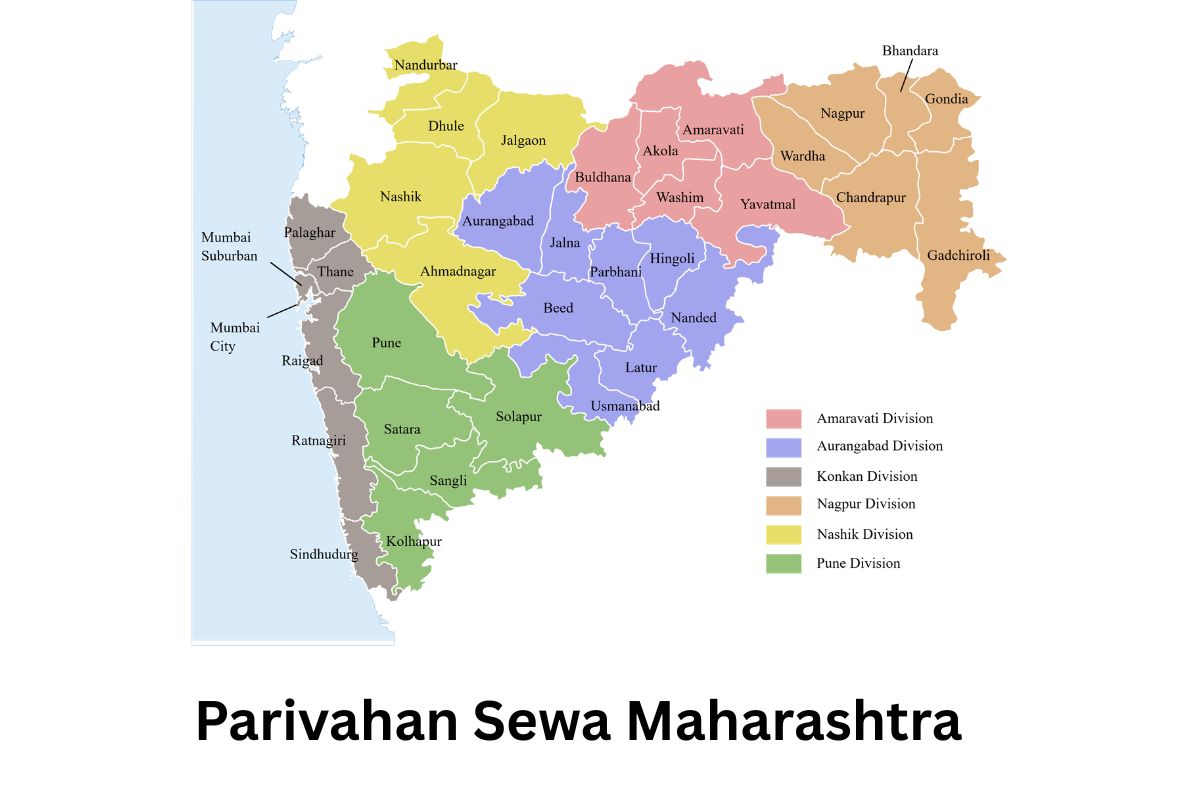
Parivahan Sewa Maharashtra: Online Vehicle & Driving License Services, Registration, e-Challan & More
Parivahan Sewa Maharashtra एक डिजिटल platform है, जहाँ आप अपने vehicle और driving license से जुड़ी लगभग सभी services online आसानी से access कर सकते हैं। यह portal Ministry of Road Transport and Highways द्वारा manage किया जाता है, जिससे citizens को RTO office जाने की जरूरत कम हो जाती है।
इस portal पर आप vehicle registration, RC status check, driving license apply, renewal, e-Challan payment और road tax जैसी services online complete कर सकते हैं। User-friendly interface के कारण process simple और fast हो जाता है, जिससे time और effort दोनों बचते हैं।
Parivahan Sewa Maharashtra खासतौर पर उन लोगों के लिए helpful है जो digital तरीके से अपने documents manage करना चाहते हैं। Online tracking system की मदद से आप application status भी real-time में check कर सकते हैं, जिससे transparency और convenience बढ़ती है।
What is Parivahan Sewa Maharashtra?
Parivahan Sewa Maharashtra एक official online service platform है, जिसे Ministry of Road Transport and Highways द्वारा develop किया गया है। इसका purpose है vehicle और driving license से जुड़ी सभी RTO services को digital और आसान बनाना।
इस portal के माध्यम से लोग घर बैठे ही कई काम online कर सकते हैं, जैसे:
- Driving License apply, renewal और status check
- Vehicle registration और RC details देखना
- e-Challan check और payment करना
- Road tax payment
- Appointment booking for RTO services
Parivahan Sewa Maharashtra का main goal है paperwork कम करना और process को fast, transparent और user-friendly बनाना। इससे लोगों को बार-बार RTO office जाने की जरूरत नहीं पड़ती और time भी बचता है।
Maharashtra Parivahan (RTO)
Check RC Status, Driving License, and Pay e-Challan Online
Parivahan Sewa Maharashtra Overview
| Category | Details |
|---|---|
| Portal Name | Parivahan Sewa Maharashtra |
| Managed By | Ministry of Road Transport and Highways |
| Purpose | Vehicle & Driving License services को online उपलब्ध कराना |
| State | Maharashtra |
| Services Available | Driving License, Vehicle Registration, e-Challan, Road Tax, Permit |
| Mode | Online (Digital Platform) |
| Beneficiaries | Maharashtra के सभी vehicle owners और drivers |
| Key Features | Online apply, status tracking, paperless process, time saving |
| Official Website | parivahan.gov.in |
| Language Support | English & Hindi |
Parivahan Sewa Maharashtra Services
Parivahan Sewa Maharashtra पर कई प्रकार की vehicle और driving license related services online उपलब्ध होती हैं, जिन्हें मुख्यतः दो parts में divide किया जाता है – SARATHI (DL services) और VAHAN (vehicle services)
Vehicle Related Services (VAHAN)
- Vehicle Registration (New / Renewal)
- RC (Registration Certificate) details & status check
- Transfer of Ownership
- Duplicate RC apply
- No Objection Certificate (NOC)
- Vehicle Fitness Certificate
- Road Tax & Fee Payment
- Fancy Number Plate booking
- Permit services (State/National Permit)
Driving License Services (SARATHI)
- Learner’s Licence (LL) apply
- Driving Licence (DL) apply
- DL renewal & duplicate DL
- Driving test slot booking
- DL status check & download
- Address / mobile number update
Online & Digital Services
- e-Challan check & payment
- PUC (Pollution Certificate)
- mParivahan mobile app (digital RC & DL)
- Application status tracking
- Online appointment booking
Also Check:- Parivahan Sewa Madhya Pradesh (MP): How to Apply, Login, RC, DL, e-Challan & Online Services Guide
How to Login to Parivahan Portal Maharashtra
Parivahan portal पर login करना बहुत easy है। नीचे simple steps follow करें:
Step 1:
सबसे पहले official website Parivahan Sewa Portal पर जाएं।
Step 2:
Homepage पर आपको “Online Services” का option दिखेगा, उस पर click करें।
Step 3:
अब अपनी जरूरत के अनुसार service चुनें:
- Driving License (Sarathi)
- Vehicle Services (Vahan)
Step 4:
इसके बाद State Selection में Maharashtra select करें।
Step 5:
नई page पर “Login” / “Sign In” option पर click करें।
Step 6:
अब अपना:
- Username / Application Number
- Password / Date of Birth
enter करें।
Step 7:
Captcha code fill करें और Login button पर click करें।
Step 8:
Login होने के बाद आप dashboard में अपनी services जैसे DL status, RC details, e-Challan आदि access कर सकते हैं।
How to Register a Vehicle in Maharashtra
Maharashtra में नया vehicle register करना अब काफी आसान हो गया है, जिसे आप Parivahan Sewa Portal के through online शुरू कर सकते हैं।
Step 1:
सबसे पहले Parivahan portal पर जाएं और “Vehicle Registration” (VAHAN services) option select करें।
Step 2:
अपना state Maharashtra choose करें।
Step 3:
“New Vehicle Registration” पर click करें और required details भरें, जैसे:
- Vehicle details
- Engine & Chassis number
- Owner details
Step 4:
अब जरूरी documents upload करें:
- Invoice (Dealer Bill)
- Insurance certificate
- Address proof
- Identity proof
- Form 20 (Application for Registration)
Step 5:
Online road tax और registration fees pay करें।
Step 6:
RTO visit के लिए appointment book करें (अगर required हो)।
Step 7:
RTO office में vehicle inspection (physical verification) होगा।
Step 8:
Verification complete होने के बाद आपका Registration Number allot हो जाएगा और RC (Registration Certificate) issue कर दी जाएगी।
How to Apply for Driving License Maharashtra
Maharashtra में Driving License apply करना अब online हो गया है, जिसे आप Parivahan Sewa Portal के जरिए आसानी से कर सकते हैं।
Step 1:
सबसे पहले Parivahan website पर जाएं और “Driving Licence Related Services (SARATHI)” option पर click करें।
Step 2:
अब अपना state Maharashtra select करें।
Step 3:
“Apply for Learner’s Licence (LL)” पर click करें (DL से पहले LL जरूरी होता है)।
Step 4:
Online application form भरें:
- Personal details
- Address details
- ID proof details
Step 5:
Required documents upload करें:
- Aadhaar Card
- Address proof
- Age proof
- Passport size photo
Step 6:
Online LL test slot book करें और fees pay करें।
Step 7:
Scheduled date पर online / RTO में Learner’s Licence test दें।
Step 8:
Test pass करने के बाद आपका Learner’s Licence (LL) issue हो जाएगा।
Driving Licence (DL) Apply करने के Steps
Step 9:
LL मिलने के बाद 30 दिन के अंदर “Apply for Driving Licence” option चुनें।
Step 10:
Driving test के लिए slot book करें और fees pay करें।
Step 11:
RTO office में जाकर driving test (practical) दें।
Step 12:
Test pass करने पर आपका Driving Licence (DL) approve होकर issue हो जाएगा।
How to Apply for Learning License Maharashtra
Maharashtra में Learning License (LL) के लिए apply करना बहुत आसान है। आप इसे Parivahan Sewa Portal के जरिए online कर सकते हैं।
Step 1:
सबसे पहले Parivahan website पर जाएं और “Driving Licence Related Services (SARATHI)” option पर click करें।
Step 2:
अब अपना state Maharashtra select करें।
Step 3:
“Apply for Learner’s Licence” option पर click करें।
Step 4:
Application form भरें:
- Name, Date of Birth
- Address details
- Mobile number & email
Step 5:
Required documents upload करें:
- Aadhaar Card
- Address proof
- Age proof
- Passport size photo
Step 6:
Online LL test (slot booking) करें और fees pay करें।
Step 7:
Test के लिए online (home-based) या RTO office option चुनें (availability पर depend करता है)।
Step 8:
Scheduled time पर Learner’s Licence test दें (traffic rules & signs based MCQ test)।
Step 9:
Test pass करने पर आपका Learning License (LL) तुरंत generate हो जाता है, जिसे आप download/print कर सकते हैं।
How to Renew RC Online Maharashtra
Maharashtra में RC (Registration Certificate) renewal अब online आसानी से किया जा सकता है, जिसके लिए आप Parivahan Sewa Portal का उपयोग कर सकते हैं।
Step 1:
सबसे पहले Parivahan website पर जाएं और “Vehicle Related Services (VAHAN)” option पर click करें।
Step 2:
अब अपना state Maharashtra select करें।
Step 3:
“Apply for RC Renewal” option चुनें।
Step 4:
अपना Vehicle Registration Number enter करें और details fetch करें।
Step 5:
Application form में required details verify/update करें।
Step 6:
जरूरी documents upload करें:
- Pollution Certificate (PUC)
- Valid Insurance
- Address proof (if required)
Step 7:
Online renewal fees pay करें।
Step 8:
अगर required हो, तो RTO appointment book करें vehicle inspection के लिए।
Step 9:
RTO में vehicle fitness inspection complete करें।
Step 10:
Verification के बाद आपका RC renewal approve हो जाएगा और updated RC issue कर दी जाएगी।
How to Transfer Vehicle Ownership Maharashtra
Maharashtra में vehicle ownership transfer अब online शुरू किया जा सकता है, जिसके लिए आप Parivahan Sewa Portal का उपयोग कर सकते हैं।
Step 1:
सबसे पहले Parivahan website पर जाएं और “Vehicle Related Services (VAHAN)” option select करें।
Step 2:
अब अपना state Maharashtra choose करें।
Step 3:
“Transfer of Ownership” option पर click करें।
Step 4:
अपना Vehicle Registration Number enter करें और details fetch करें।
Step 5:
Application form में buyer (new owner) और seller (old owner) की details भरें:
- Name, Address
- Mobile number
- ID proof details
Step 6:
Required documents upload करें:
- Form 29 & Form 30
- Original RC
- Valid Insurance
- Pollution Certificate (PUC)
- Address proof of buyer
- Sale agreement (if available)
Step 7:
Online transfer fees pay करें।
Step 8:
अगर required हो, तो RTO appointment book करें document verification के लिए।
Step 9:
RTO office में verification process complete होगा।
Step 10:
Verification के बाद vehicle ownership transfer approve हो जाएगा और नई RC (new owner के नाम पर) issue कर दी जाएगी।
How to Change Address on RC/DL Maharashtra
Maharashtra में RC (Registration Certificate) और DL (Driving License) में address change करना आप Parivahan Sewa Portal के जरिए online कर सकते हैं।
Address Change in RC (Vehicle)
Step 1:
Parivahan portal पर जाएं और “Vehicle Related Services (VAHAN)” option select करें।
Step 2:
अपना state Maharashtra choose करें।
Step 3:
“Change of Address” option पर click करें।
Step 4:
Vehicle registration number enter करके details fetch करें।
Step 5:
New address fill करें और verify करें।
Step 6:
Required documents upload करें:
- Address proof (Aadhaar, बिजली बिल आदि)
- RC copy
- Valid insurance
Step 7:
Online fees pay करें।
Step 8:
अगर required हो, तो RTO visit करें verification के लिए।
Step 9:
Approval के बाद updated address के साथ नई RC issue हो जाएगी।
Address Change in Driving License (DL)
Step 1:
Parivahan portal पर “Driving Licence Related Services (SARATHI)” पर click करें।
Step 2:
State Maharashtra select करें।
Step 3:
“Change of Address in DL” option choose करें।
Step 4:
DL number और DOB enter करके login करें।
Step 5:
New address fill करें।
Step 6:
Documents upload करें:
- Address proof
- DL copy
Step 7:
Online fees pay करें।
Step 8:
Application submit करें और status track करें।
How to Pay Road Tax in Maharashtra
Maharashtra में vehicle road tax आप आसानी से online pay कर सकते हैं, जिसके लिए Parivahan Sewa Portal का उपयोग किया जाता है।
Step 1:
सबसे पहले Parivahan website पर जाएं और “Vehicle Related Services (VAHAN)” option पर click करें।
Step 2:
अब अपना state Maharashtra select करें।
Step 3:
“Pay Vehicle Tax” या “Tax Payment” option चुनें।
Step 4:
अपना Vehicle Registration Number enter करें और details fetch करें।
Step 5:
System automatically आपका pending road tax amount दिखा देगा।
Step 6:
Details verify करें और आगे बढ़ें।
Step 7:
Online payment method choose करें:
- Debit Card
- Credit Card
- Net Banking
- UPI
Step 8:
Payment complete करें और receipt download/print कर लें।
How to Get Vehicle Fitness Certificate Maharashtra
Maharashtra में Vehicle Fitness Certificate (FC) लेना जरूरी होता है, खासकर commercial vehicles के लिए। आप इसका process Parivahan Sewa Portal के जरिए online शुरू कर सकते हैं।
Step 1:
सबसे पहले Parivahan website पर जाएं और “Vehicle Related Services (VAHAN)” option select करें।
Step 2:
अब अपना state Maharashtra choose करें।
Step 3:
“Apply for Fitness Certificate” option पर click करें।
Step 4:
अपना Vehicle Registration Number enter करें और details fetch करें।
Step 5:
Application form में details verify करें और submit करें।
Step 6:
Required documents तैयार रखें:
- RC (Registration Certificate)
- Valid Insurance
- Pollution Certificate (PUC)
Step 7:
Online fitness fees pay करें।
Step 8:
RTO में inspection appointment book करें।
Step 9:
Scheduled date पर vehicle को RTO ले जाएं, जहाँ:
- Brake, lights, engine, pollution आदि check होते हैं
Step 10:
Inspection pass होने पर आपका Fitness Certificate (FC) issue कर दिया जाता है।
How to Check e-Challan Maharashtra
Maharashtra में e-Challan check करना बहुत आसान है, जिसे आप Parivahan Sewa Portal के माध्यम से online कर सकते हैं।
Step 1:
सबसे पहले Parivahan website पर जाएं और “e-Challan / Traffic Violation” section पर click करें।
Step 2:
अब “Check Challan Status” option चुनें।
Step 3:
आप निम्न में से किसी एक detail से challan check कर सकते हैं:
- Vehicle Registration Number
- Driving License Number
- Challan Number
Step 4:
Required details enter करें और Captcha code fill करें।
Step 5:
“Get Details” पर click करें।
Step 6:
अब आपकी screen पर सभी pending और paid e-Challan details दिखाई देंगी।
Step 7:
अगर कोई challan pending है, तो आप वहीं से online payment भी कर सकते हैं।
How to Get Number Plate in Maharashtra
Maharashtra में vehicle number plate (HSRP – High Security Registration Plate) लेना अब mandatory है। आप इसका process Parivahan Sewa Portal के जरिए आसानी से पूरा कर सकते हैं।
Step 1:
सबसे पहले Parivahan website पर जाएं और “HSRP / Number Plate” option select करें।
Step 2:
अपना state Maharashtra choose करें।
Step 3:
“Book HSRP” या “Apply for Number Plate” option पर click करें।
Step 4:
अपना Vehicle Registration Number और chassis number enter करें।
Step 5:
Vehicle details verify करें।
Step 6:
Number plate type select करें:
- HSRP (High Security Plate)
- Color-coded sticker (if required)
Step 7:
Nearby dealer / RTO location choose करें और appointment date select करें।
Step 8:
Online fees payment करें।
Step 9:
Scheduled date पर selected center पर जाएं, जहाँ आपका number plate install किया जाएगा।
How to Apply for Duplicate RC/DL Maharashtra
अगर आपकी RC (Registration Certificate) या DL (Driving License) खो गई है, तो आप Parivahan Sewa Portal के जरिए आसानी से duplicate copy के लिए apply कर सकते हैं।
Duplicate RC Apply करने के Steps
Step 1:
Parivahan portal पर जाएं और “Vehicle Related Services (VAHAN)” option select करें।
Step 2:
अपना state Maharashtra choose करें।
Step 3:
“Duplicate RC” option पर click करें।
Step 4:
Vehicle Registration Number enter करें और details fetch करें।
Step 5:
Application form fill करें और reason select करें (Lost / Damaged RC)।
Step 6:
Required documents upload करें:
- FIR copy (lost case में)
- RC copy (if available)
- Valid insurance
- Pollution Certificate (PUC)
Step 7:
Online fees pay करें।
Step 8:
Application submit करें और status track करें।
Duplicate DL Apply करने के Steps
Step 1:
Parivahan portal पर “Driving Licence Related Services (SARATHI)” पर click करें।
Step 2:
State Maharashtra select करें।
Step 3:
“Apply for Duplicate DL” option choose करें।
Step 4:
DL number और Date of Birth enter करें।
Step 5:
Application form fill करें और reason select करें।
Step 6:
Documents upload करें:
- FIR (if lost)
- ID proof
- Address proof
Step 7:
Online fees pay करें।
Step 8:
Submit करें और application status check करें।
How to Get Vehicle Permit Maharashtra
Maharashtra में commercial vehicles (जैसे taxi, truck, bus) के लिए vehicle permit लेना जरूरी होता है। आप इसका process Parivahan Sewa Portal के जरिए online शुरू कर सकते हैं।
Step 1:
सबसे पहले Parivahan website पर जाएं और “Vehicle Related Services (VAHAN)” option select करें।
Step 2:
अब अपना state Maharashtra choose करें।
Step 3:
“Permit Services” option पर click करें।
Step 4:
“Apply for New Permit” option select करें।
Step 5:
अपना Vehicle Registration Number enter करें और details fetch करें।
Step 6:
Permit type select करें:
- State Permit
- National Permit
- Goods Carrier / Passenger Permit
Step 7:
Application form fill करें:
- Owner details
- Vehicle details
- Route details
Step 8:
Required documents upload करें:
- RC (Registration Certificate)
- Fitness Certificate
- Insurance
- Pollution Certificate (PUC)
Step 9:
Online permit fees pay करें।
Step 10:
अगर required हो, तो RTO appointment book करें।
Step 11:
Verification के बाद आपका Vehicle Permit issue कर दिया जाएगा।
How to Book Appointment Online Maharashtra
Maharashtra में RTO services के लिए online appointment booking आप आसानी से Parivahan Sewa Portal के जरिए कर सकते हैं।
Step 1:
सबसे पहले Parivahan website पर जाएं और “Online Services” section पर click करें।
Step 2:
अपनी जरूरत के अनुसार service चुनें:
- Driving Licence Services (SARATHI)
- Vehicle Services (VAHAN)
Step 3:
अब अपना state Maharashtra select करें।
Step 4:
नई page पर “Book Appointment” या “Slot Booking” option पर click करें।
Step 5:
अपना Application Number / DL Number / Vehicle Number enter करें।
Step 6:
Available dates और time slots में से convenient slot select करें।
Step 7:
Required details confirm करें।
Step 8:
अगर applicable हो, तो appointment fees pay करें।
Step 9:
Appointment confirm होने के बाद receipt / confirmation slip download या print कर लें।
How to Update Vehicle Insurance Maharashtra
Maharashtra में vehicle insurance details update करना जरूरी होता है, खासकर जब आप नई policy renew या change करते हैं। यह process आप Parivahan Sewa Portal के जरिए online कर सकते हैं।
Step 1:
सबसे पहले Parivahan website पर जाएं और “Vehicle Related Services (VAHAN)” option पर click करें।
Step 2:
अब अपना state Maharashtra select करें।
Step 3:
“Update Insurance Details” या संबंधित service option चुनें।
Step 4:
अपना Vehicle Registration Number enter करें और details fetch करें।
Step 5:
नई insurance policy की details भरें:
- Insurance company name
- Policy number
- Validity dates
Step 6:
Insurance document (policy copy) upload करें।
Step 7:
Details verify करें और application submit करें।
Step 8:
अगर applicable हो, तो nominal fees pay करें।
Step 9:
Application submit करने के बाद status track करें।
How to Pay Penalties and Fines Maharashtra
Maharashtra में traffic penalties और fines (e-Challan) आप आसानी से online pay कर सकते हैं, जिसके लिए Parivahan Sewa Portal का उपयोग किया जाता है।
Step 1:
सबसे पहले Parivahan website पर जाएं और “e-Challan / Traffic Violation” section पर click करें।
Step 2:
“Check Challan Status” option चुनें।
Step 3:
अपनी details enter करें:
- Vehicle Registration Number
- Driving License Number
- या Challan Number
Step 4:
Captcha code fill करें और “Get Details” पर click करें।
Step 5:
आपके सभी pending challans screen पर दिख जाएंगे।
Step 6:
जिस challan का payment करना है, उसे select करें।
Step 7:
“Pay Now” पर click करें।
Step 8:
Payment method choose करें:
- UPI
- Debit Card
- Credit Card
- Net Banking
Step 9:
Payment complete करें और receipt download कर लें।
How to Contact Helpline & Support Maharashtra
| Service Type | Details |
|---|---|
| Helpline Number | 1800-11-2400 |
| Email Support | helpdesk-parivahan@gov.in |
| Official Website | parivahan.gov.in |
| Support Timing | Working Hours (Mon–Fri) |
| Department | Ministry of Road Transport and Highways |
FAQs About Parivahan Sewa Maharashtra
Q1. Parivahan Sewa Maharashtra क्या है?
Parivahan Sewa Maharashtra एक online platform है, जिसे Ministry of Road Transport and Highways द्वारा manage किया जाता है, जहाँ vehicle और driving license से जुड़ी services digital रूप में मिलती हैं।
Q2. क्या Parivahan portal पर सभी services online मिलती हैं?
हाँ, ज्यादातर services जैसे DL apply, RC details, e-Challan payment, road tax आदि online उपलब्ध हैं, लेकिन कुछ cases में RTO visit जरूरी होता है।
Q3. क्या DL और RC online download किए जा सकते हैं?
हाँ, आप Parivahan portal या mParivahan app के जरिए DL और RC की digital copy download और use कर सकते हैं।
Q4. Learner’s Licence (LL) के बाद DL कब apply कर सकते हैं?
आप LL मिलने के 30 दिन बाद Driving License (DL) के लिए apply कर सकते हैं।
Q5. क्या e-Challan online pay करना safe है?
हाँ, Parivahan Sewa Portal पर e-Challan payment पूरी तरह secure और safe होता है।
Q6. RC renewal कब करना जरूरी होता है?
Private vehicle की RC आमतौर पर 15 साल बाद renew करनी होती है, और उसके बाद हर 5 साल में renewal जरूरी होता है।
Q7. क्या mobile app से services use कर सकते हैं?
हाँ, आप mParivahan app के जरिए कई services जैसे DL/RC access, challan check आदि कर सकते हैं।
Q8. अगर RC या DL खो जाए तो क्या करें?
आप Parivahan portal पर जाकर duplicate RC या DL के लिए online apply कर सकते हैं।
Q9. क्या बिना RTO जाए काम हो सकता है?
कई services online हो जाती हैं, लेकिन driving test, vehicle inspection जैसी services के लिए RTO जाना जरूरी होता है।
Q10. Parivahan helpline कैसे contact करें?
आप official website या helpline number के जरिए support ले सकते हैं, जो Parivahan Sewa Portal पर उपलब्ध है।